Adding a Home Site

Note

  • Operator users can add or delete a home site for the RV22 Home Mesh Routers.

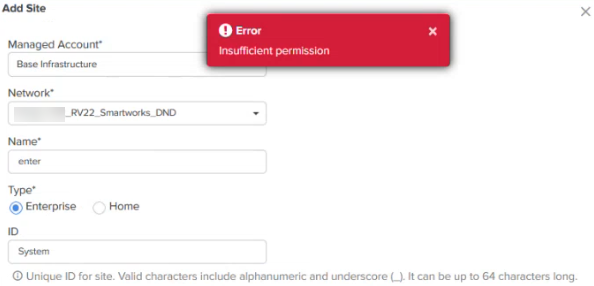
    However, they are not allowed to create Enterprise sites while creating subscribers. The following error message appears in case they try to create an Enterprise site:
  • Operator users can also modify the details, such as latitude, longitude, and network, under the Configuration tab at the home site-level.

A home site is required to associate the subscriber’s device with the device configuration.

To create a home site, complete the following steps:

  1. Click Monitor and Manage ().

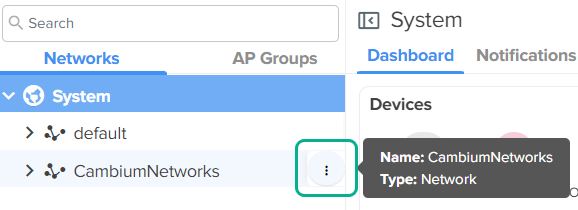
  2. In the Networks tab, search for the network and hover over the network name.

  3. Click the actions () icon and select Add Site.

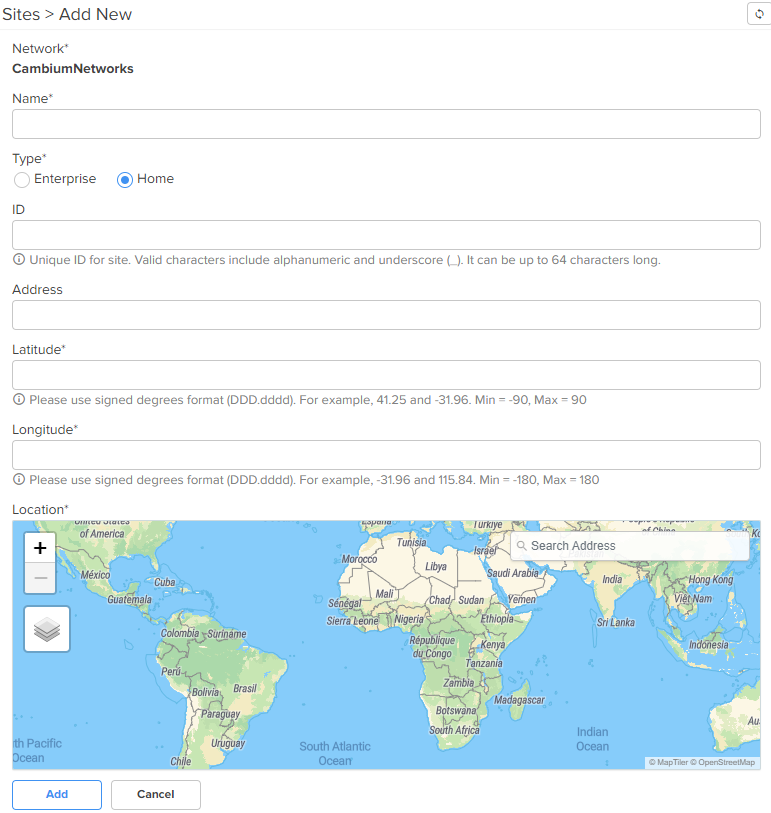
    The Sites > Add New page appears.

  4. Select the Home option in the Type field.

  5. Enter the location details in the Longitude and Latitude fields.

    You can also search for the location in the map to fill in the details.

  6. Click Add.